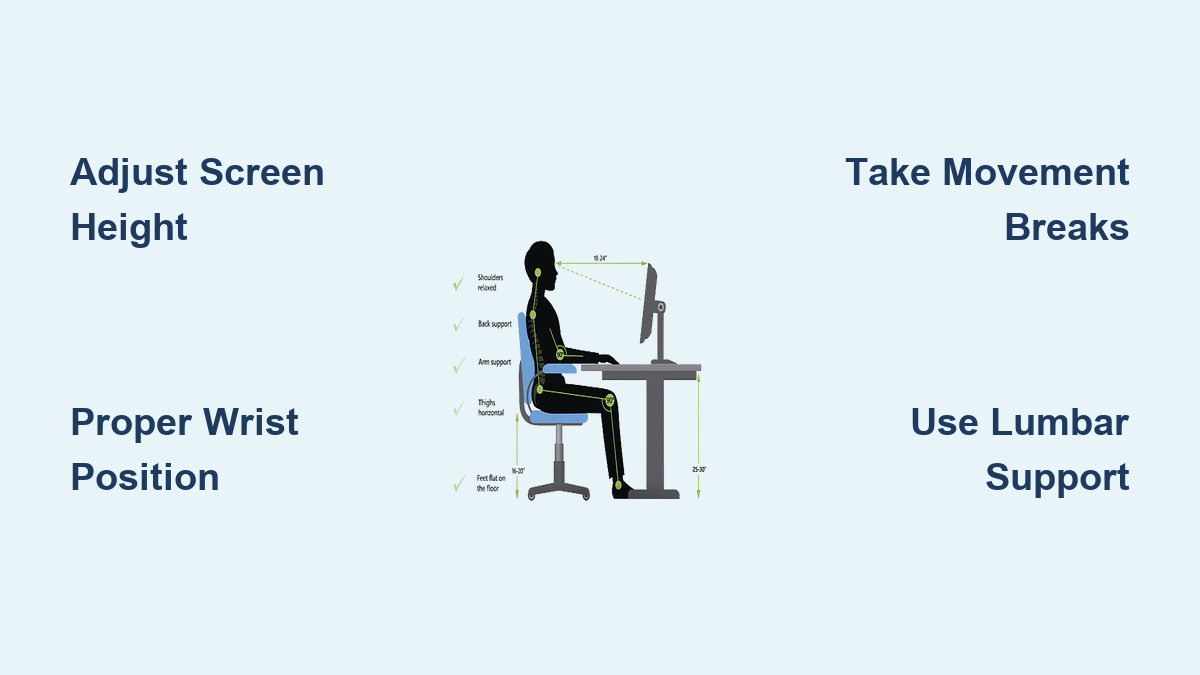
If you’ve ever finished a workday with aching wrists, tired eyes, or a stiff neck, your workstation setup is likely sabotaging your health. Millions of office workers unknowingly damage their bodies through poor computer ergonomics, suffering consequences that compound over months and years. Computer ergonomics isn’t just about comfort—it’s a science-backed approach to protecting your physical health while maximizing your daily output. This guide reveals the three importance areas of computer ergonomics that transform your workspace from a health hazard into a productivity powerhouse.
Understanding these critical aspects gives you the power to prevent injuries before they start and maintain your physical capabilities for decades of productive work. Whether you’re setting up your first home office or optimizing a corporate workstation, these principles apply universally. You’ll learn exactly why proper ergonomics matters and gain actionable strategies you can implement immediately to safeguard your health and enhance your performance.
Prevent Vision Problems and Musculoskeletal Damage
Stop Computer Vision Syndrome Before It Starts
Your eyes weren’t designed for eight hours of continuous screen focus, yet most workers ignore the warning signs of computer vision syndrome until discomfort becomes unbearable. Research shows you blink up to 66% less while using computers compared to normal conditions, causing tears to evaporate faster and leaving your eyes dry, red, and vulnerable to irritation. When your monitor sits too low or at awkward angles, your eye muscles constantly struggle to focus between the screen and surrounding elements, creating a conflict that leads to mid-afternoon headaches.
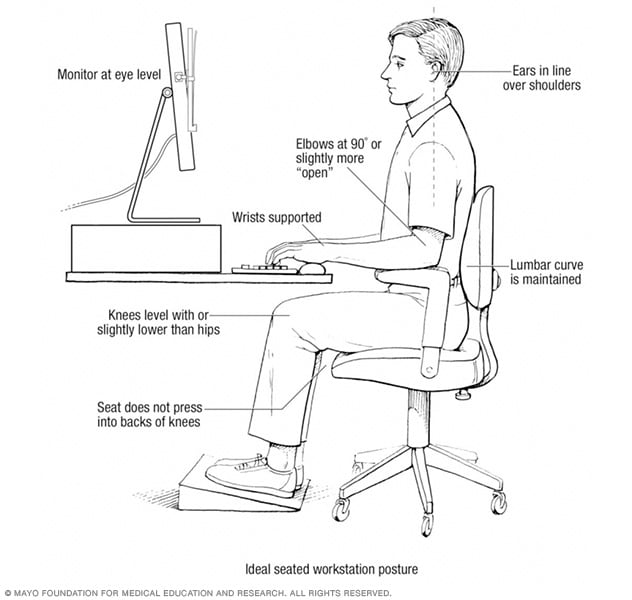
Fix your screen position now: Position your monitor at eye level, approximately 20-26 inches from your face—about an arm’s length away. Adjust screen brightness to match the ambient light in your workspace, and if glare persists, apply an anti-glare filter rather than straining through reflections. These simple changes prevent the eye fatigue that undermines your afternoon productivity.
Eliminate Carpal Tunnel and Repetitive Strain Injuries
Your hands and wrists pay a heavy price for improper keyboard and mouse placement. Carpal tunnel syndrome develops when the median nerve becomes compressed in your wrist, causing pain, numbness, and tingling that can sideline you from work. This damage often starts subtly with occasional tingling that progresses to chronic pain as you continue working with poor ergonomics.
Position your input devices correctly: Keep your arms at or below 90-degree angles with elbows close to your sides. Your keyboard should sit just below elbow level, either flat or with a slight downward slope away from your body. If your wrists bend upward while typing, consider an ergonomic keyboard that maintains a neutral wrist position. For mouse use, choose models that keep your wrist straight rather than bent, and take immediate action if you feel any tingling or numbness—early intervention prevents permanent damage.
Reduce Your Risk of Chronic Back and Neck Pain
Looking downward at screens rather than adjusting monitor height creates relentless strain on your cervical spine that accumulates silently over months. This poor posture forces your neck muscles to work 10 times harder than they should, leading to chronic tension that often radiates into headaches. Back pain becomes nearly inevitable when your chair lacks proper lumbar support or your feet don’t rest flat on the floor.
Create an ergonomic seating solution: Invest in an adjustable chair with adequate lumbar support that maintains your spine’s natural curve. If your feet don’t reach the floor comfortably, use a footrest to keep your knees and hips level. Position your monitor directly in front of you to avoid neck twisting, and remember—your eyes should naturally fall on the top third of the screen without tilting your head up or down.
Maximize Daily Productivity Through Strategic Workspace Design
Optimize Your Monitor Setup for Peak Performance
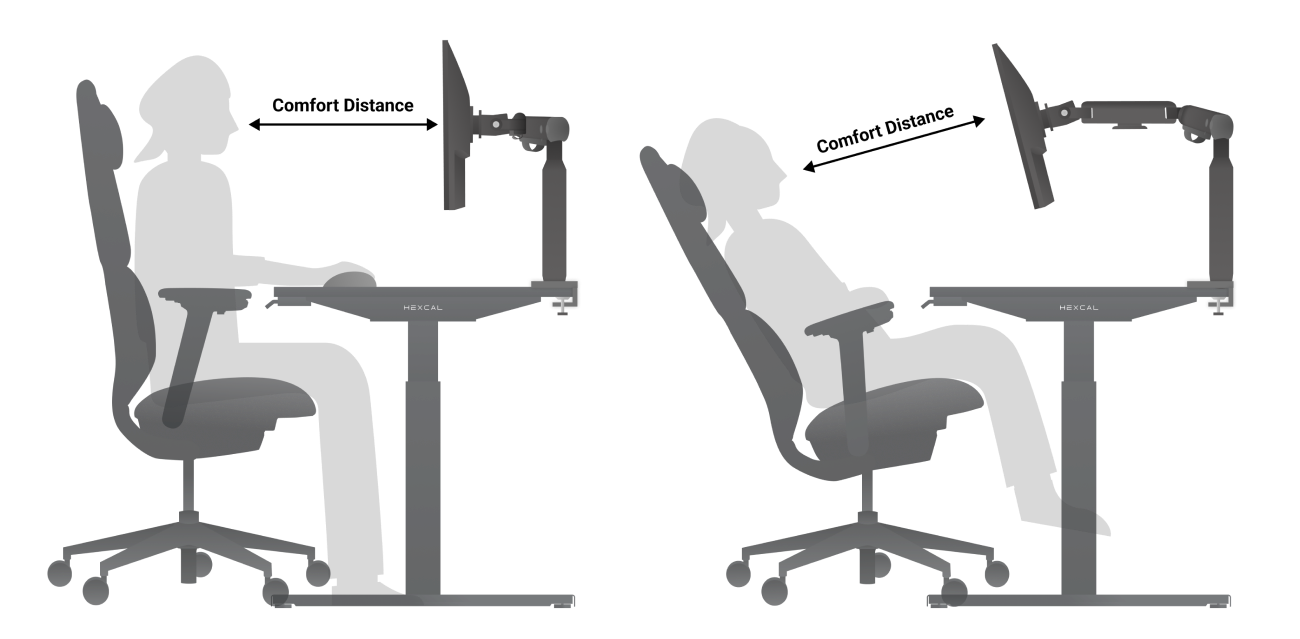
The position of your screen directly impacts both your physical comfort and mental focus. Workers with properly positioned monitors report 23% fewer headaches and maintain concentration longer than those with suboptimal setups. Adjustable monitor arms provide the flexibility needed to achieve perfect positioning regardless of your desk height or body dimensions.
Implement these monitor adjustments today:
– Position the top of your screen at or slightly below eye level
– Maintain 20-26 inches between your eyes and the monitor
– Angle the screen to eliminate reflections from windows or overhead lights
– Match screen brightness to your surrounding environment
– Use document holders at the same height and distance as your screen
These seemingly minor tweaks prevent the constant micro-adjustments your body makes when uncomfortable, freeing up mental energy for actual work rather than physical discomfort.
Organize Your Workspace to Minimize Movement Fatigue
Every unnecessary reach and twist throughout your workday accumulates physical stress that degrades your performance by afternoon. Frequent phone users who cradle handsets between their shoulder and ear develop chronic neck tension that reduces their cognitive capacity. Workers who constantly stretch for documents or supplies introduce cumulative strain that leads to tendonitis and other repetitive stress injuries.
Transform your desk layout with these steps:
– Keep frequently used items within a 15-20 inch reach radius
– Use a hands-free headset for all phone calls to maintain neutral neck position
– Position your mouse and keyboard close enough that your elbows stay near your body
– Place reference documents in a holder next to your screen at the same height
– Store rarely used items in drawers rather than on your desk surface
This efficient organization reduces the 1,000+ unnecessary micro-movements you make daily that collectively exhaust your muscles and diminish your focus.
Implement Strategic Movement Breaks That Boost Output
Prolonged sitting without movement causes your hip flexors to tighten, your neck muscles to stiffen, and your circulation to slow—all of which degrade both physical comfort and mental sharpness. The Occupational Safety and Health Administration recommends two short breaks plus a lunch break during eight-hour computer days to maintain peak performance.
Build these movement habits into your routine:
– Set a timer to stand and stretch every 30 minutes
– Perform simple neck rolls, shoulder shrugs, and wrist circles during breaks
– Walk to a distant printer or water cooler instead of using the closest one
– Use a standing desk converter for 15-30 minutes each hour
– Practice the 20-20-20 rule: Every 20 minutes, look at something 20 feet away for 20 seconds
These brief interruptions prevent the cumulative fatigue that makes afternoons unproductive while actually enhancing your total daily output through sustained focus.
Secure Long-Term Physical Health and Career Sustainability
Protect Your Spine for Decades of Comfortable Work

Poor posture doesn’t just cause temporary discomfort—it reshapes your spine over time in ways that lead to chronic pain requiring expensive interventions. Slouching compresses spinal discs unevenly, accelerating wear and tear that can necessitate surgery years later. The good news? Your spine remains adaptable, and proper ergonomics can reverse early damage before it becomes permanent.
Preserve your spinal health with these long-term strategies:
– Use a sit-stand desk to alternate positions throughout the day
– Choose a chair with adjustable lumbar support that matches your spine’s curve
– Perform daily core-strengthening exercises to support proper posture
– Schedule regular chiropractic adjustments to maintain alignment
– Practice mindfulness about your posture throughout the workday
These investments pay compound dividends as you age, allowing you to work comfortably well beyond when colleagues suffer from chronic pain.
Implement Cost-Effective Solutions That Prevent Future Expenses
Ignoring ergonomics creates hidden costs that far exceed the price of proper equipment. Workers with computer-related injuries take 28% more sick days and experience significantly higher healthcare costs over their careers. Organizations that implement comprehensive ergonomic programs see reduced workers’ compensation claims, lower healthcare expenses, and improved employee retention.
Make these smart equipment investments:
– An ergonomic chair with proper lumbar support ($200-$500)
– Adjustable monitor arm for optimal screen positioning ($50-$150)
– Footrest if your feet don’t reach the floor comfortably ($20-$50)
– Ergonomic keyboard and mouse if you experience wrist discomfort ($50-$100)
– Blue light filtering glasses if you work in low-light conditions ($20-$50)
These relatively small expenditures prevent medical bills that can reach thousands of dollars for conditions like carpal tunnel syndrome or chronic back pain.
Create a Sustainable Work Environment That Grows With You
Your ergonomic needs will change as you age, gain or lose weight, or develop new health conditions. The most effective ergonomic setups incorporate flexibility that accommodates these changes without requiring complete overhauls. Adjustable components allow you to maintain proper positioning regardless of physical changes or evolving work requirements.
Build adaptability into your workspace:
– Choose furniture with multiple adjustment points rather than fixed dimensions
– Keep your ergonomic toolkit stocked with additional accessories you might need later
– Schedule quarterly ergonomic self-audits to catch emerging issues early
– Stay informed about new ergonomic solutions that address specific concerns
– Share successful strategies with colleagues to create a culture of ergonomic awareness
This forward-thinking approach ensures your workspace continues supporting your health and productivity throughout your entire career rather than becoming a source of chronic pain.
Computer ergonomics delivers three importance benefits that transform how you work and feel: preventing immediate injuries, boosting daily productivity, and preserving your physical health for decades of comfortable work. By implementing these evidence-based strategies, you’re not just creating a more comfortable workspace—you’re investing in your long-term ability to perform at your best. Start with one change today, like adjusting your monitor height or setting movement reminders, and build from there. Your future self will thank you when you’re still working comfortably while others struggle with preventable pain. The three importance areas of computer ergonomics aren’t just nice-to-have features—they’re essential components of sustainable, high-performance work in our digital world.
Leave a Reply