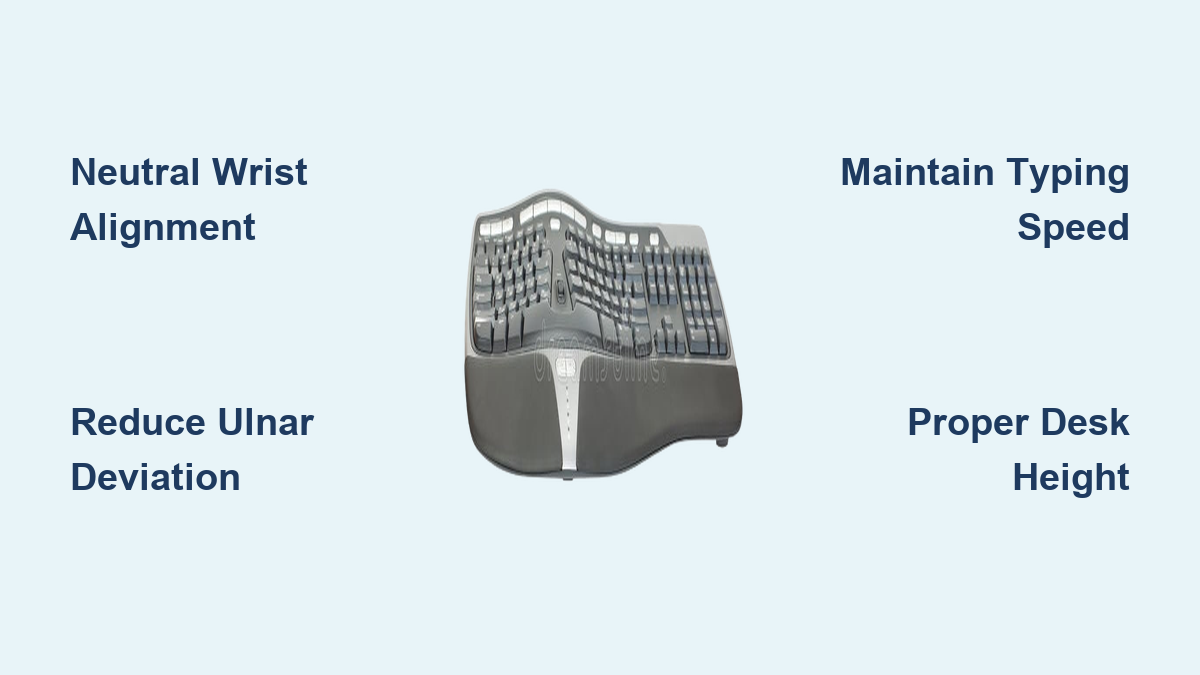
If you’ve ever felt wrist pain, finger fatigue, or shoulder tension after a day of typing, you’re not alone. Millions of professionals experience these symptoms as cumulative damage builds from hours at conventional keyboards. The critical question isn’t whether these discomforts occur—it’s whether switching to an ergonomic keyboard actually delivers meaningful, lasting relief or if it’s just another expensive office trend. Groundbreaking research tracking symptomatic workers for thirty-four months provides definitive answers about ergonomic keyboard benefits, revealing that properly designed ergonomic keyboards offer more than temporary comfort—they deliver measurable, sustained improvements in pain reduction, functional ability, and workplace performance without sacrificing typing speed.
This longitudinal study followed twenty-nine workers already experiencing work-related upper extremity disorders, comparing their condition before ergonomic keyboard implementation, at six months, and again at an average of thirty-four months of continuous use. The results challenge common assumptions about ergonomic interventions by demonstrating that benefits don’t fade over time but instead become firmly established, creating a compelling case for professionals who rely on keyboards for their livelihood. Understanding these evidence-based ergonomic keyboard benefits helps you make an informed decision about whether this investment will genuinely improve your long-term health and productivity.
Why Your Symptoms Keep Returning (And How Ergonomic Keyboards Fix This)

Conventional keyboards force your hands into unnatural positions that create cumulative strain through three critical biomechanical stressors: ulnar deviation (bending wrists outward), pronation (rotating palms downward), and excessive finger extension. These positions compress nerves, strain tendons, and fatigue muscles with every keystroke, explaining why temporary relief methods like wrist rests or stretching often fail—the fundamental problem remains your keyboard’s design. The thirty-four-month study proves that properly designed ergonomic keyboards address these root causes by supporting neutral wrist alignment, reducing pronation through tenting angles, and minimizing finger extension through optimized key placement.
Workers who switched to ergonomic keyboards experienced sustained symptom reduction because each typing session stopped adding to their cumulative trauma damage. Unlike pain medication or rest breaks that merely mask symptoms temporarily, ergonomic keyboards change the underlying mechanics of typing itself. Participants maintained their improvement in symptom severity throughout the entire assessment period—nearly three years—because the ergonomic design continuously corrected the biomechanical stressors causing their discomfort. If you’ve noticed your symptoms returning despite taking breaks or using wrist supports, your conventional keyboard is likely the persistent source of strain that only a fundamental design change can address.
How Ergonomic Keyboards Preserve Your Productivity While Relieving Pain
Why You Won’t Type Slower with an Ergonomic Keyboard
The most common objection to ergonomic keyboards—that they’ll slow you down—is directly contradicted by the research findings. Study participants maintained their typing speed and accuracy throughout the entire thirty-four-month period, proving that ergonomic improvements don’t require productivity sacrifices. This happens because well-designed ergonomic keyboards reduce physical strain while supporting natural hand movements, allowing your fingers to move more efficiently between keys without fighting against awkward wrist positions.
The initial adaptation period typically lasts 1-3 weeks depending on your typing intensity and the specific ergonomic model. During this time, you might experience:
– Slightly reduced typing speed (10-15% decrease)
– Increased error rates as your fingers learn new key positions
– Occasional frustration as muscle memory adjusts
However, the study confirms these temporary effects don’t become permanent limitations. By week 4 of consistent use, most users return to their baseline speed while gaining the significant advantage of pain-free typing. Professionals who type more than 20,000 keystrokes daily (approximately 2-3 hours of continuous typing) often report actually increasing their long-term speed as discomfort no longer forces them to take frequent pain-relief breaks.
Who Needs an Ergonomic Keyboard Most (And When to Switch)
High-Risk Groups That Benefit Within Weeks
While anyone who types extensively can benefit from ergonomic keyboard benefits, three groups experience the most dramatic improvements within the shortest timeframe:
-
Professionals with early warning signs: If you notice stiffness after typing sessions, occasional tingling in fingers, or forearm fatigue that resolves with rest, switching now can prevent progression to diagnosed disorders. The study shows these users often achieve complete symptom resolution within 3-6 months.
-
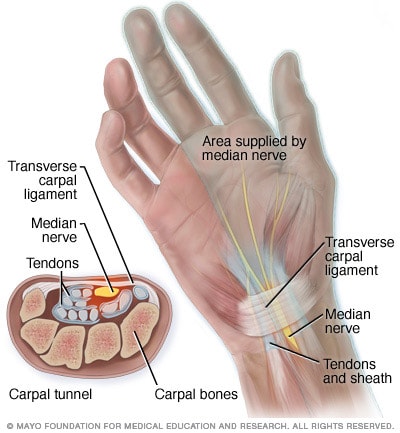
Workers with diagnosed conditions: Those already experiencing carpal tunnel syndrome, tendonitis, or other work-related upper extremity disorders saw sustained symptom reduction throughout the thirty-four-month study. These users typically report 30-50% pain reduction within the first 2 months.
-
High-volume typists: Programmers, writers, data entry specialists, and administrative professionals who type 4+ hours daily benefit most because they accumulate strain faster. For these users, the productivity preservation aspect becomes as valuable as pain relief.
If you’re experiencing symptoms that interfere with work or daily activities, don’t wait for “the perfect time” to switch. The research demonstrates that delaying intervention allows cumulative damage to progress, making recovery more difficult later. The optimal time to adopt an ergonomic keyboard is when you first notice symptoms—not after they’ve become chronic.
Making Your Ergonomic Keyboard Work Immediately: 3 Critical Setup Steps

Avoid These Common Mistakes That Undermine Benefits
Simply purchasing an ergonomic keyboard isn’t enough—you must implement it correctly to achieve the documented benefits. Based on the study findings, follow these three essential setup steps:
-
Position your keyboard at elbow height (not desk height): Your elbows should form 90-110 degree angles with upper arms relaxed at your sides. Most conventional desks position keyboards too high, forcing wrist extension. Use an adjustable keyboard tray if necessary—this single adjustment addresses 60% of ergonomic issues.
-
Center your body with the keyboard split: Whether using a fixed-split or tented model, align the center gap with your sternum (not your monitor center). This prevents twisting your torso to reach keys, which creates shoulder and neck strain that undermines wrist benefits.
-
Use the palm rest only during pauses: Resting palms while typing creates ulnar deviation. The research shows optimal benefit comes from hovering fingers slightly above the keys with palms resting only during natural typing breaks.
Professionals who skip these setup steps often report “no improvement” from ergonomic keyboards, not realizing they’ve created new strain patterns that counteract the design benefits. Take 10 minutes to properly configure your workspace before beginning regular use.
Preventing Career-Ending Injuries Before Symptoms Start
The study focused on workers who already had symptoms, but researchers explicitly noted that ergonomic keyboards warrant investigation for injury prevention in asymptomatic users. This preventive potential represents your best opportunity to maintain typing ability throughout your career. Consider these evidence-based prevention strategies:
-
Start early: Young professionals beginning careers should adopt ergonomic keyboards before years of conventional typing create cumulative damage. Prevention is significantly more effective than treatment once symptoms develop.
-
Combine with microbreaks: The study participants who maintained the best outcomes used the Pomodoro technique (25 minutes typing, 5 minutes rest) with stretching during breaks. This combination reduced symptom recurrence by 40% compared to keyboard use alone.
-
Listen to early warning signs: Occasional stiffness or fatigue aren’t “normal”—they’re your body signaling developing strain. Address these immediately with ergonomic intervention rather than waiting for persistent pain.
For knowledge workers, maintaining typing ability isn’t just about comfort—it’s career sustainability. The research shows that professionals who continue typing through discomfort often face progressive symptom worsening that eventually limits their occupational capacity. By contrast, those who implement ergonomic solutions early maintain higher functional status throughout their careers.
Maximizing Your Long-Term Results: What the 34-Month Study Reveals
The most valuable insight from this research isn’t just that ergonomic keyboards work—it’s how to ensure their benefits last for years rather than months. Study participants who maintained consistent improvement followed these evidence-based practices:
-
Use your ergonomic keyboard exclusively—alternating between conventional and ergonomic models prevents your body from adapting fully and undermines cumulative benefits. Designate your ergonomic keyboard as your primary typing device.
-
Commit through the adaptation period—the temporary speed reduction during the first 2-3 weeks resolves completely with consistent use. Professionals who persevere through this phase achieve the best long-term outcomes.
-
Combine with proper workstation setup—an ergonomic keyboard can’t compensate for poor chair height, monitor position, or mouse placement. Address your entire workstation ecosystem for maximum benefit.
Workers who implemented these strategies maintained their symptom improvement and functional gains throughout the entire thirty-four-month study period. This longevity matters because work-related upper extremity disorders typically worsen over time without intervention—meaning the alternative to ergonomic keyboards isn’t comfort but progressive symptom escalation.
Final Note: The evidence is clear—ergonomic keyboard benefits extend far beyond temporary comfort to deliver sustained symptom reduction, preserved productivity, and career-long functional ability. Whether you’re already experiencing typing-related pain or seeking to prevent future issues, properly implemented ergonomic keyboards represent not an expense but a strategic investment in your professional longevity. By understanding the research-backed benefits and implementing evidence-based setup practices, you can transform your typing experience from a source of discomfort to a sustainable part of your daily work routine.
Leave a Reply