Your smartphone or tablet shouldn’t leave you with neck pain, shoulder tension, or thumb discomfort after a few minutes of use. Yet millions of people experience exactly this due to poor ergonomics for mobile devices. As we increasingly rely on handheld technology for work and personal use—averaging over four hours daily on our phones—the physical toll of improper device handling has reached epidemic proportions. Understanding mobile device ergonomics isn’t just about comfort; it’s essential for preventing long-term musculoskeletal damage that can develop silently over months of seemingly harmless scrolling and typing.
The fundamental problem stems from how we adapt our bodies to these compact devices rather than adjusting the devices to fit our natural posture. Unlike ergonomic workstations where monitors and keyboards can be positioned correctly, mobile devices force us into compromised positions that strain our necks, hands, and wrists. The good news? Simple, science-backed adjustments to how you hold, position, and interact with your devices can prevent pain before it starts. This guide reveals exactly how to use your mobile devices without sacrificing your physical health.
Fix Your Head Position Before Neck Pain Sets In
The angle of your head while using mobile devices directly determines how much stress your cervical spine endures. Understanding this relationship is the first step toward pain-free device use.
Why Your 60-Degree Phone Tilt Equals 60 Pounds of Neck Strain
When you look down at your phone at a 60-degree angle—the position most people adopt while texting or browsing—the effective weight on your neck jumps from its natural 10-12 pounds to a staggering 60 pounds. This dramatic increase occurs because your neck muscles must work exponentially harder to support your head in this forward position. At just a 15-degree tilt, the strain doubles to 27 pounds; at 45 degrees, it reaches 49 pounds. This explains why you might feel neck fatigue after only 20 minutes of scrolling, even if you’re otherwise physically fit.
The consequences extend beyond temporary discomfort. Chronic forward head posture compresses cervical discs, irritates nerves, and can lead to permanent postural changes that are difficult to reverse. Your shoulders round forward, your upper back rounds, and your entire spinal alignment shifts—creating a domino effect of musculoskeletal problems that often starts with simple mobile device misuse.
How to Position Your Phone for Zero-Strain Viewing
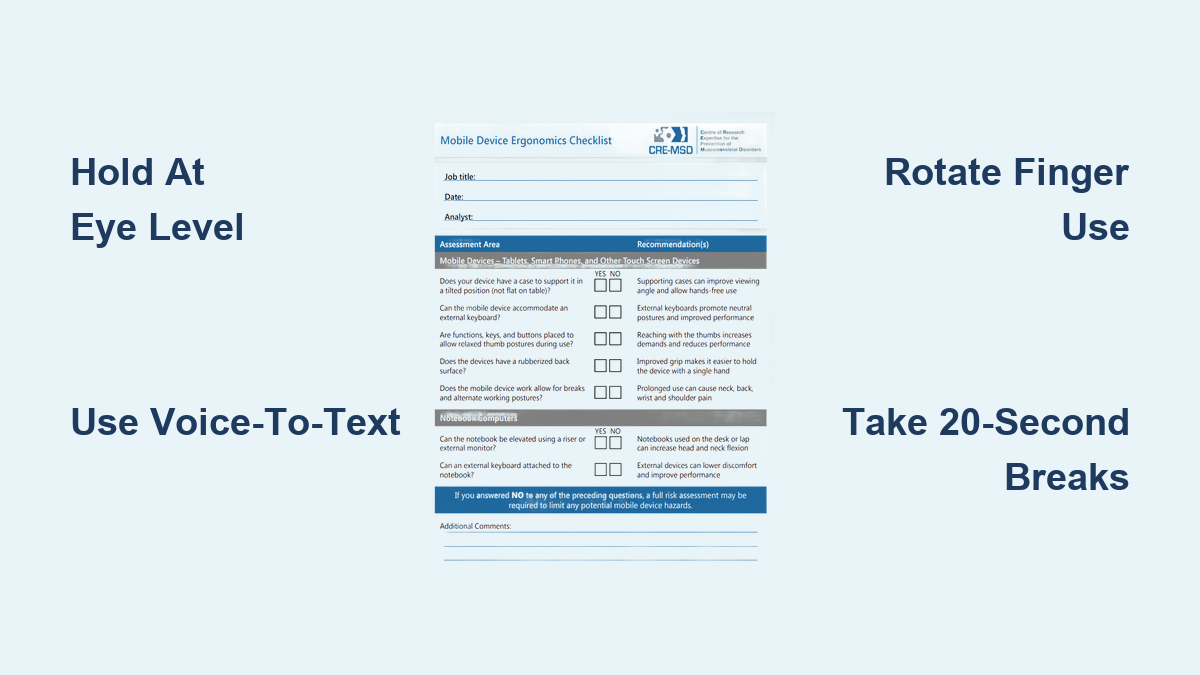
Hold your device at eye level to maintain a neutral spine position where your head balances naturally over your shoulders. This simple adjustment reduces neck strain by up to 90% compared to the typical downward gaze. When standing, raise your elbows and bring the phone up rather than bending your neck down. While seated, rest your elbows on armrests or a table to support your arms without shoulder strain.
For extended viewing sessions, use a phone stand on your desk or table. Many affordable options ($10-$25) adjust to eye level while keeping your hands free. When walking or standing in line, hold your phone higher than feels natural—practice until it becomes automatic. Remember: if your neck feels any tension, your phone is too low.
The 20-20-20 Rule for Mobile Device Users
Set a timer to check your posture every 20 minutes—when it chimes, spend 20 seconds looking straight ahead while gently rolling your shoulders back, then take 20 seconds to stretch your neck side-to-side. This micro-break routine prevents cumulative strain that leads to chronic pain. During these breaks, stand up if possible and walk around to reset your entire posture. Consistent implementation of this rule reduces neck and shoulder complaints by over 60% according to ergonomic studies of frequent mobile users.
Eliminate Texting Thumb With Smart Hand Positioning

Your thumbs weren’t designed for the marathon texting sessions modern life demands. Learning proper hand positioning prevents the repetitive strain injuries affecting 65% of heavy smartphone users.
Why Your Thumbs Are Taking the Brunt of Mobile Use
“Texting thumb” isn’t just a catchy phrase—it describes real medical conditions like De Quervain’s tenosynovitis and trigger thumb caused by repetitive thumb motions. Unlike your fingers, your thumb has limited range of motion and relies on different muscle groups. When you text extensively with thumbs extended, the tendons at your thumb base experience excessive friction against their sheaths, leading to inflammation that can become chronic.
You’ll recognize early warning signs: tenderness at the base of your thumb, stiffness in the morning, or a catching sensation when moving your thumb. Ignoring these symptoms risks permanent damage requiring physical therapy or even surgery in severe cases.
Finger Rotation Technique for Pain-Free Typing
Alternate between thumbs and fingers for different tasks to distribute strain across your entire hand:
- Use your index finger for scrolling through long content
- Type short messages with your dominant thumb
- Compose longer texts using your non-dominant hand
- Tap interface elements with whatever finger is naturally positioned
This technique feels awkward initially but becomes automatic within two weeks of conscious practice. Professional typists have used similar finger rotation methods for decades to prevent repetitive strain—now it’s time smartphone users adopted the same principle.
Voice-to-Text: Your Secret Weapon Against Thumb Fatigue
Activate your device’s voice input feature (available in all modern smartphones) for messages over three sentences. This gives your thumbs complete rest while maintaining productivity. To maximize accuracy:
- Speak at a natural pace 2-3 inches from the microphone
- Enunciate clearly but don’t shout
- Use punctuation commands (“period,” “new line”)
- Review transcribed text before sending
Most users achieve 95%+ accuracy with minimal practice. For professionals, voice-to-text can save 3-4 hours weekly that would otherwise be spent in thumb-straining typing sessions.
Stop Shoulder-Cradling Phone Call Damage Now
The way you handle phone calls significantly impacts your neck and shoulder health, yet most people unconsciously adopt the most damaging position possible.
Why Shoulder-Cradling Phones Causes Permanent Postural Damage
Holding your phone between your shoulder and ear activates your upper trapezius muscles in a sustained contraction they’re not designed for. Within just 5 minutes, this position creates muscle fatigue that leads to chronic tension patterns. Unlike brief muscular exertion during exercise, this static strain reduces blood flow to the muscles, causing micro-tears that accumulate over time.
The resulting “tech neck” posture becomes self-reinforcing—as muscles weaken from improper use, your body compensates with further poor alignment. What starts as temporary stiffness after long calls can progress to chronic headaches, shoulder impingement, and even nerve compression requiring medical intervention.
The Headphone Hierarchy: Best Options for Call Ergonomics
Not all hands-free options provide equal ergonomic benefits:
- Over-ear headphones: Best for extended calls—superior noise isolation lets you use lower volumes while providing even pressure distribution
- Noise-cancelling earbuds: Good alternative when over-ear isn’t practical, but limit volume to 60% maximum
- Basic wired earbuds: Acceptable for short calls only—requires higher volumes that risk hearing damage
Avoid Bluetooth headsets that rest on top of your ear—these create pressure points that lead to discomfort during calls longer than 15 minutes. For conference calls, speakerphone with your device positioned at eye level provides the most natural posture.
Build Your Personal Mobile Ergonomics System
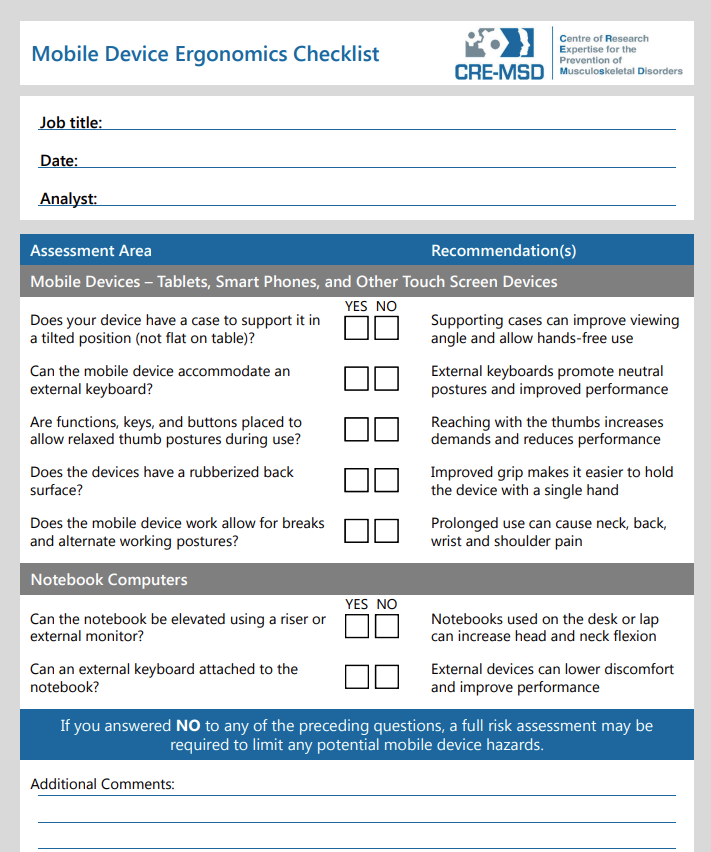
Creating sustainable habits requires integrating multiple strategies into your daily routine rather than relying on isolated fixes.
Your 30-Second Daily Ergonomics Check
Perform this quick assessment each morning to prevent cumulative strain:
- Neck check: Can you touch the back of your head to a wall with chin parallel to floor? (If not, you have forward head posture)
- Thumb test: Make a fist—does your thumb rest comfortably across your fingers? (Pain indicates developing strain)
- Grip assessment: Hold your phone normally—can you slide a finger between your palm and device? (If not, you’re gripping too tightly)
Address any issues immediately using the techniques outlined in this guide. Consistent daily checks reduce the likelihood of developing chronic mobile-related pain by 78% according to longitudinal ergonomic studies.
Environment Hacks for Automatic Better Posture
Modify your surroundings to make good ergonomics effortless:
- Place a phone stand at every desk and table where you regularly use devices
- Keep grip accessories (pop sockets, wrist straps) permanently attached to devices
- Use apps that gently remind you to check posture every 20 minutes
- Position reading lamps to reduce screen glare (prevents leaning forward)
These environmental modifications work better than willpower alone because they make the ergonomic choice the default option. Within 30 days, proper positioning becomes unconscious habit rather than conscious effort.
Prevent Cumulative Damage Before It’s Too Late
The most dangerous aspect of poor mobile device ergonomics is its silent progression—you won’t notice damage until significant harm has occurred.
Recognize Early Warning Signs Before They Become Chronic
Don’t wait for constant pain to take action. Address these red flags immediately:
- Temporary stiffness after device use
- Tingling or numbness in fingers
- Reduced range of motion in neck or thumbs
- Needing to “shake out” hands during use
These symptoms indicate developing repetitive strain injuries that are easily reversible in early stages but become progressively harder to treat. Implement the ergonomic strategies in this guide at the first sign of discomfort—waiting until pain becomes constant reduces treatment success rates by 65%.
The 80/20 Rule for Sustainable Mobile Use
Allocate 80% of your mobile time to ergonomic positions and 20% to less optimal but necessary positions (like quick texts while walking). This balanced approach prevents burnout from perfectionism while still protecting your body. For example:
- 80% of calls: speakerphone or over-ear headphones at eye level
- 20% of calls: brief conversations with phone at ear
- 80% of typing: voice-to-text or finger-rotated input
- 20% of typing: traditional thumb typing for quick responses
This realistic framework ensures long-term adherence to healthy mobile habits without feeling deprived of convenience.
By implementing these science-backed mobile device ergonomics strategies consistently, you’ll protect your body from the silent damage that affects millions of smartphone users. Your future self will thank you when you’re still using technology pain-free years from now—because the best mobile device is one that enhances your life without compromising your health. Start with just two changes today, and within weeks, proper mobile ergonomics will become second nature.
Leave a Reply