If you’ve ever experienced lower back pain, neck strain, or general discomfort after sitting at your desk for hours, you’ve probably wondered how ergonomic chairs work to prevent these issues. Unlike ordinary office chairs that force your body into a single fixed position, ergonomic chairs adapt to your unique body shape and movement patterns. Understanding how ergonomic chairs work reveals why they’re engineered with multiple adjustment points that work together to support your natural posture, reduce strain, and keep you comfortable during marathon work sessions. This guide breaks down each critical component and explains exactly how these specialized chairs transform your sitting experience from painful to productive.
Research shows that proper ergonomic seating doesn’t just feel better—it actively reduces your risk of developing chronic musculoskeletal disorders from prolonged sitting. The magic of ergonomic chairs lies in their ability to support your body’s natural curves while encouraging subtle movement throughout the day. Rather than locking you into one “perfect” posture, these chairs recognize that your spine actually benefits from position changes, which is why they’re designed to move with you. By the end of this guide, you’ll know precisely how each adjustment mechanism functions and how to optimize your chair for maximum comfort and health benefits.
Why Standard Chairs Fail Your Spine (And How Ergonomic Chairs Fix It)
Standard office chairs force your body to conform to their fixed design, often collapsing your spine’s natural S-curve into a harmful C-shape that stresses discs and strains muscles. When you sit without proper lumbar support, your pelvis rotates backward, flattening your lower back’s natural inward curve and transferring excessive pressure to vulnerable areas. This misalignment creates a domino effect—your shoulders hunch forward, your neck extends to view your screen, and within hours, you’re battling fatigue and discomfort that steals your productivity.
Ergonomic chairs solve this problem through dynamic support systems that work with your body rather than against it. These chairs feature multiple adjustment points that let you customize the fit to your unique anatomy, ensuring your spine maintains its healthy curvature regardless of your sitting position. The best ergonomic designs incorporate biomechanical tracking—meaning the chair’s components move in sync with your body as you shift positions, maintaining support through every movement. This dynamic approach recognizes that your body needs variation during extended sitting, not rigid adherence to a single posture.
Seat Pan Adjustments That Prevent Leg Numbness
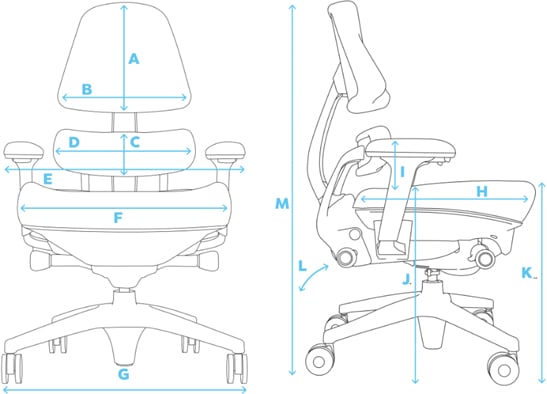
Your seat pan is the foundation of proper ergonomic support, and its design directly impacts both comfort and circulation. The waterfall edge design—where the front of the seat slopes downward—is critical because it prevents the hard edge of standard chairs from cutting into the delicate blood vessels behind your knees. Without this feature, you’ll experience that familiar tingling sensation as circulation becomes restricted during long work sessions.
Proper seat pan depth matters more than you might think. Your thighs should have at least half an inch of clearance between the seat edge and the back of your knees. Too much depth forces you to sit forward without back support, while too little depth creates pressure points that cause discomfort in under 30 minutes. High-quality ergonomic chairs feature sliding seat mechanisms that let you adjust depth while seated, accommodating different leg lengths without compromising your position against the backrest.
The pneumatic height adjustment lever does more than just raise and lower your chair—it creates the proper 90-110 degree knee angle essential for healthy circulation. When correctly adjusted, your feet should rest flat on the floor with your knees level with or slightly below your hips. If you’re constantly using a footrest, your chair likely lacks sufficient height range for your body dimensions. Test chairs by sitting with your feet flat for 15 minutes—quality high-density foam won’t bottom out or create uncomfortable pressure points even during extended use.
Lumbar Support Systems That Maintain Your Spine’s Natural Curve
Fixing the “Slouch Effect” With Targeted Lower Back Support
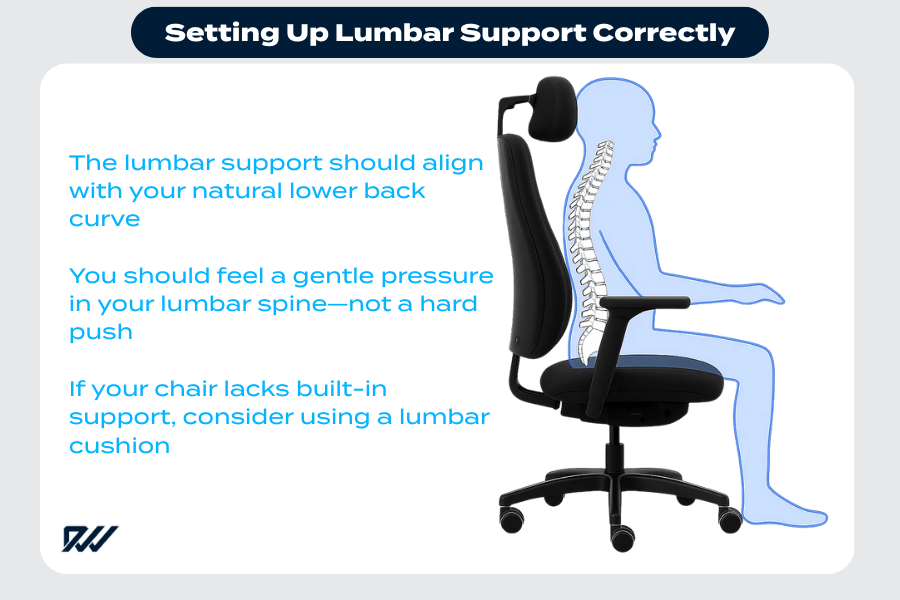
That inward curve in your lower back isn’t just anatomical—it’s functional. When your lumbar spine loses this natural curvature (a common problem with standard chairs), pressure on your intervertebral discs increases by up to 40%, accelerating wear and creating pain. Ergonomic chairs combat this with adjustable lumbar supports that fill the gap between your lower back and the seat back, maintaining proper spinal alignment whether you’re sitting upright or reclined.
Look for chairs with dual-axis lumbar adjustment—vertical positioning to match your unique spinal curve height, plus depth adjustment to customize support intensity. Fixed-position lumbar supports often fail because they can’t accommodate different body types. When properly adjusted, you should feel gentle but firm support in your lower back without pressure points, allowing your shoulders to relax naturally rather than hunch forward.
Backrest Mechanics That Move With Your Spine
Why “Dynamic Recline” Beats Fixed-Position Sitting
Locking your backrest in a single position creates more problems than it solves—your spine needs subtle movement during extended sitting to maintain disc hydration and reduce muscle fatigue. Quality ergonomic chairs feature synchronized recline mechanisms that maintain proper spinal support throughout your entire range of motion. As you lean back, the backrest tracks with your spine rather than forcing it into unnatural angles.
The tension control knob does more than adjust recline resistance—it lets you customize movement effort based on your body weight and preference. Lighter users typically need less tension to recline comfortably, while heavier users require more. Experiment with different tension settings to find what allows smooth movement without excessive bounce. For optimal spinal health, change positions every 20-30 minutes—your ergonomic chair should make this effortless rather than forcing you to stay rigidly upright.
Five-Point Base Design That Prevents Dangerous Tipping
That wobbly office chair feeling isn’t just annoying—it’s dangerous. Four-caster bases dramatically increase tipping risk, especially when reaching for items outside your immediate workspace. Ergonomic chairs use five-point pedestal bases that distribute your weight across a wider footprint, creating stability that prevents accidents even when leaning toward chair edges.
Caster selection matters more than most people realize. Hard-floor casters feature softer rubber wheels that won’t scratch wood or tile, while carpet casters have harder polyurethane wheels that glide smoothly over thick pile. Using the wrong caster type creates unnecessary resistance that strains your back when moving. Test chairs on your actual flooring surface—quality casters should roll effortlessly with minimal force while staying precisely where you position them.
Armrest Adjustments That Eliminate Shoulder Strain
Height, Width, and Depth Settings for Perfect Forearm Alignment
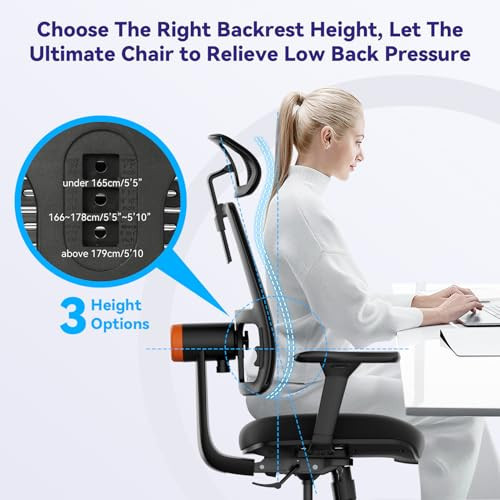
Your armrests should support your forearms at elbow height when typing, creating a 90-110 degree angle at your elbows that prevents shoulder elevation. Most ergonomic chairs offer four-dimensional armrest adjustment: height, width (inward/outward), depth (forward/backward), and sometimes pivot angle. This comprehensive adjustability ensures your shoulders stay relaxed rather than hunching upward—a major contributor to neck and upper back pain.
The armrest surface should be broad and contoured to distribute pressure evenly across your forearms. Narrow or hard armrests create pressure points that cause discomfort in under 20 minutes of continuous use. Look for models with flip-up armrests that move completely out of the way when typing or performing tasks requiring full arm mobility, then return to supportive positions during rest periods.
How Chair Components Work Together for All-Day Comfort
True ergonomic effectiveness comes from how all these systems integrate rather than any single feature. When properly adjusted, your chair creates a postural support ecosystem where:
- Seat height positions your feet flat with proper knee angle
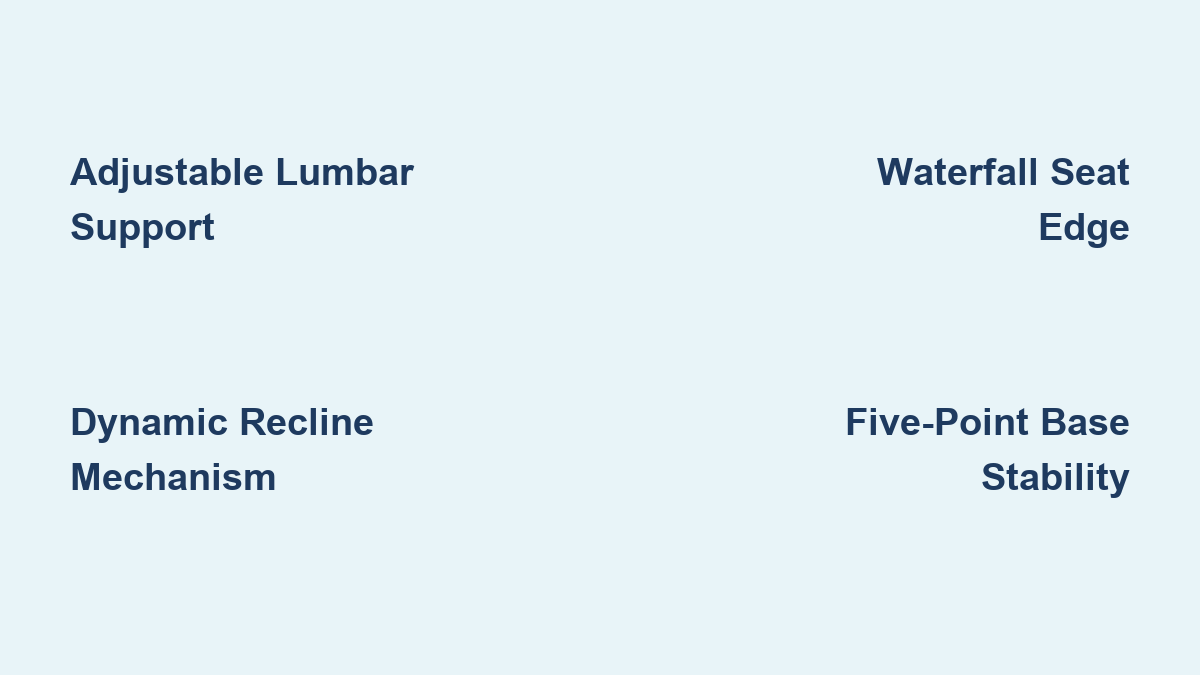
- Waterfall seat edge maintains circulation in your lower legs
- Adjustable lumbar support maintains your spine’s natural curve
- Dynamic backrest encourages healthy position changes
- Properly positioned armrests keep shoulders relaxed
- Five-point base provides stable mobility throughout your workspace
This integration prevents the “domino effect” of poor posture—you won’t hunch forward to see your screen because your chair supports your entire body in alignment. The result? You can work longer with less fatigue, experience fewer aches and pains, and maintain better focus throughout your day.
Critical Mistakes That Neutralize Your Ergonomic Chair’s Benefits
Even the most expensive ergonomic chair fails when improperly adjusted. Most users make these critical errors:
- Setting seat height too high (forcing feet to dangle)
- Sitting too far forward without back support
- Positioning lumbar support too high (in mid-back instead of lower back)
- Locking backrest in upright position (preventing healthy movement)
- Using armrests that are too high (elevating shoulders)
Take 10 minutes to properly adjust your chair each morning using this sequence: 1) Set seat height, 2) Position lumbar support, 3) Adjust armrest height, 4) Set backrest tension. This small investment prevents hours of discomfort and potential long-term damage to your spine.
Understanding how ergonomic chairs work transforms you from a passive sitter into an active participant in your spinal health. By leveraging these adjustment mechanisms correctly, you create a seating environment that supports your body’s natural design rather than fighting against it. The result isn’t just temporary comfort—it’s sustainable productivity through healthier sitting habits that protect your body for years to come.
Leave a Reply