That nagging wrist pain after a day of typing, the persistent lower back ache from lifting boxes, or the shoulder tension that lingers no matter how much you rest—these aren’t just signs of a hard day’s work. They’re early warnings that your body is struggling with ergonomic stress that could lead to serious, long-term injuries. Each year, ergonomic injuries account for nearly one-third of all workplace injuries, costing businesses billions in workers’ compensation and lost productivity. The good news is that with the right knowledge and strategies, most ergonomic injuries are entirely preventable. This guide delivers actionable steps you can implement today to protect yourself from musculoskeletal disorders before they become debilitating.
You’ll discover how to identify subtle warning signs before they escalate, recognize specific workplace risk factors in your environment, and implement proven engineering controls that eliminate hazards at their source. Whether you work at a desk, operate machinery, or perform manual labor, these evidence-based prevention strategies will help you create a work environment that supports your body’s natural capabilities rather than working against them. Most importantly, you’ll learn how to build sustainable habits that protect your long-term health and career.
Spot the Early Warning Signs of Developing Ergonomic Injuries
Ergonomic injuries, also called work-related musculoskeletal disorders (WMSDs), develop gradually as repeated stress damages muscles, nerves, tendons, and joints. Unlike sudden injuries from accidents, WMSDs creep up on you through daily exposure to risk factors until pain becomes impossible to ignore. The earliest indicators often seem minor—intermittent aching in your hands after typing, stiffness in your shoulders after assembly work, or tingling in your fingers after using hand tools. These sensations signal that your body isn’t recovering fully between work sessions, setting the stage for permanent damage.
Pay attention to these critical progression stages that indicate escalating ergonomic risk:
- Stage 1: Occasional discomfort that disappears overnight or during breaks (e.g., mild wrist ache after typing that resolves with rest)
- Stage 2: Persistent symptoms lasting hours after work ends, requiring longer recovery periods (e.g., shoulder pain that lingers into the evening)
- Stage 3: Constant pain interfering with work and daily activities, potentially causing permanent damage (e.g., numbness in fingers that affects grip strength)
Ignoring stage one warnings is the most common mistake workers make—they dismiss minor discomfort as normal fatigue. But research shows that addressing ergonomic issues at this earliest stage prevents 90% of long-term injuries. When you notice any persistent discomfort after work activities, treat it as your body’s urgent signal to investigate and modify your work practices immediately.
Pinpoint High-Risk Workplace Conditions Causing Ergonomic Damage

Lifting heavy objects incorrectly is just the tip of the iceberg when it comes to ergonomic risk factors. The real dangers often hide in seemingly routine workplace conditions that gradually damage your body through repeated exposure. High-risk activities include lifting, pushing, or pulling objects—especially when combined with twisting or bending positions that multiply spinal stress. Even moderate loads become harmful when handled in awkward postures thousands of times per week.
Three often-overlooked risk factors that silently cause ergonomic injuries:
Repetitive Motion Without Adequate Recovery Time
Tasks requiring the same movement patterns hundreds or thousands of times per shift—like typing, assembly line work, or using hand tools—create cumulative trauma. Your body needs recovery time between stress cycles to repair micro-damage, but many workplaces don’t build in sufficient breaks. If you perform the same motion more than 10 times per minute without variation, you’re at high risk.
Vibration Exposure from Tools and Equipment
Hand-arm vibration from power tools like grinders, jackhammers, or even electric screwdrivers damages nerves and blood vessels over time. Whole-body vibration from operating heavy machinery similarly stresses your spine and internal organs. If your hands feel numb or tingly after using vibrating tools, or if you experience lower back pain after operating vehicles, you’re accumulating vibration-related damage.
Sustained Awkward Postures That Strain Joints
Working with bent wrists, twisted spine, or elevated arms for extended periods places abnormal mechanical loads on soft tissues. Office workers crane their necks to view poorly positioned monitors, while assembly line workers reach overhead repeatedly. These positions may feel comfortable initially but become damaging when maintained for more than 1-2 hours without position changes.
Install Engineering Controls That Eliminate Ergonomic Hazards
Engineering controls provide the most reliable ergonomic protection because they remove hazards at their source rather than relying on worker compliance. Unlike training or administrative changes, these physical modifications work continuously to protect you regardless of daily variations in workflow or fatigue levels.
Replace Manual Lifting With Mechanical Assistance
Install hoists, conveyors, or lift-assist devices for any lifting task exceeding 35 pounds. For lighter loads, implement height-adjustable workstations that keep objects between waist and shoulder height—the optimal lifting zone that minimizes spinal stress. If you regularly handle boxes, use slide tables or roller conveyors to eliminate bending and twisting during material transfer.
Design Workstations for Neutral Body Positions
Adjust your workstation so you can maintain these critical neutral positions:
– Spine: Natural curves preserved with lumbar support
– Shoulders: Relaxed and close to your body (not hunched or elevated)
– Arms: Bent at 90-110 degrees with elbows close to your sides
– Wrists: Straight and in line with your forearms (not bent up/down)
– Feet: Flat on floor or footrest with knees slightly lower than hips
Optimize Environmental Factors That Affect Posture
Poor lighting causes workers to adopt awkward positions to see their work clearly—install task lighting that eliminates shadows without creating glare. For standing workstations, use anti-fatigue mats that reduce lower body strain by 30-50%. Maintain comfortable temperature ranges (68-76°F) since cold environments cause muscle tension that increases injury risk.
Implement Administrative Controls That Reduce Exposure Time
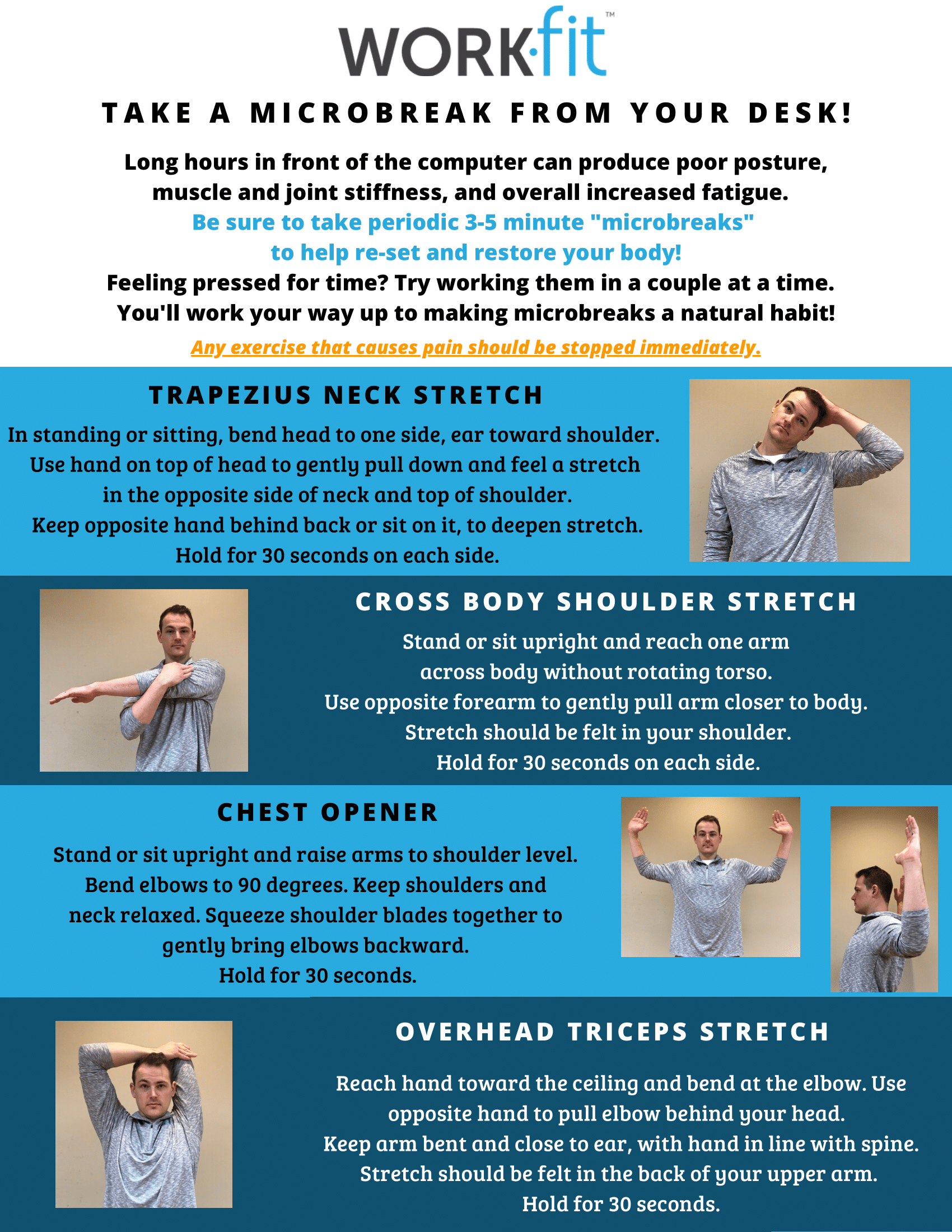
While engineering controls address the physical work environment, administrative controls manage how work is performed to reduce cumulative stress on your body. These strategies work best when combined with engineering solutions, not as standalone fixes.
Schedule Strategic Microbreaks Throughout Your Shift
Take 30-60 second breaks every 30 minutes to change positions and reset your posture. Research shows these brief interruptions reduce cumulative trauma by allowing tissues to recover between stress cycles. For highly repetitive tasks, implement the “20-20-20 rule”: Every 20 minutes, spend 20 seconds performing a different motion that uses different muscle groups.
Rotate Tasks to Allow Body Part Recovery
If possible, alternate between different activities that use various muscle groups. For example, switch between data entry, document filing, and walking meetings to give your hands and wrists periodic rest. In manufacturing settings, job rotation between assembly, quality control, and packaging roles prevents overuse injuries in specific body regions.
Train on Proper Body Mechanics for Common Tasks
Learn and practice these critical techniques:
– Lifting: Bend at knees with back straight, keep load close to body
– Pushing/Pulling: Use your body weight rather than arm strength
– Reaching: Move your whole body instead of extending arms repeatedly
– Tool Use: Keep wrists straight and avoid sustained grip force
Choose Ergonomic Tools and Equipment That Reduce Physical Stress
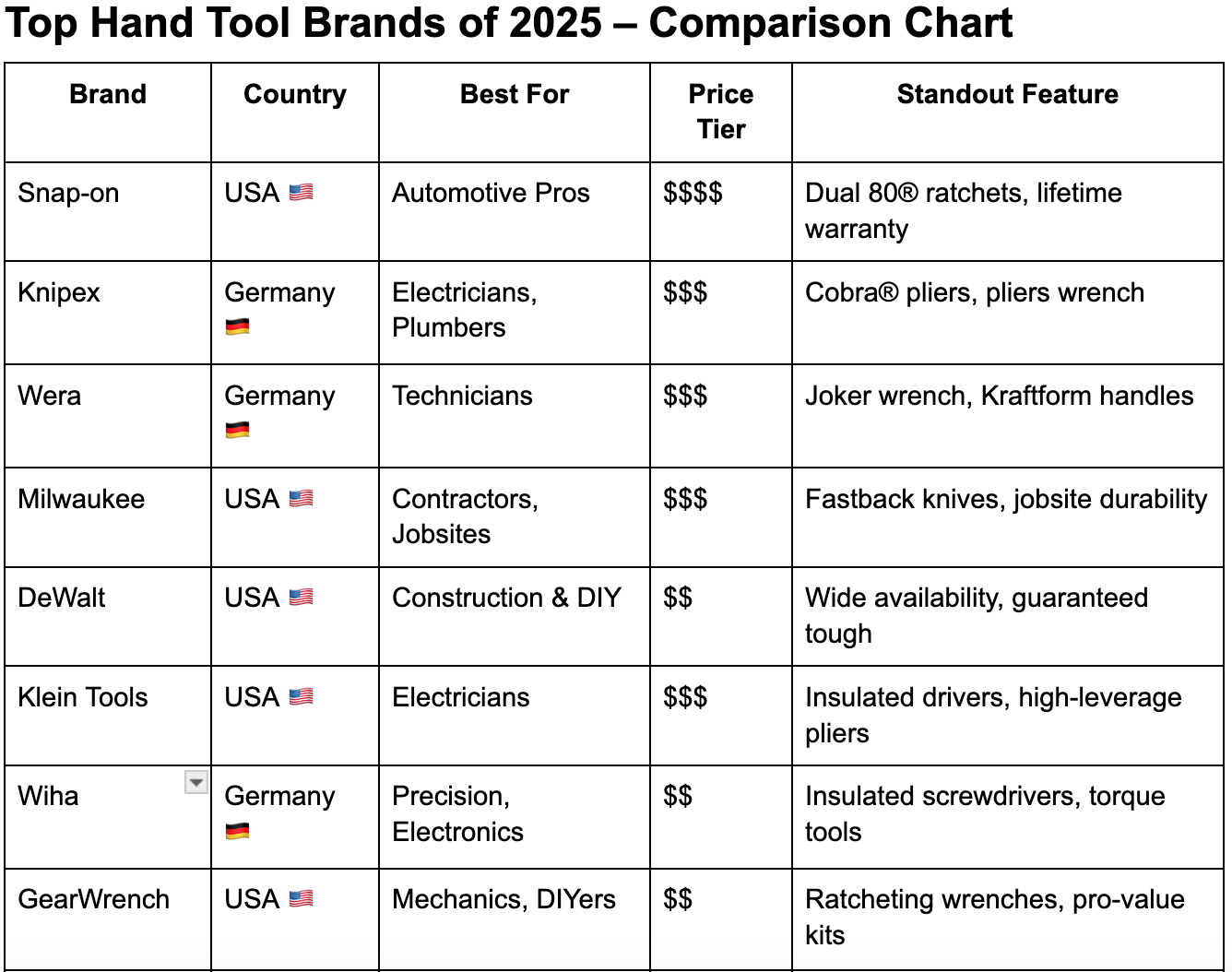
When engineering and administrative controls can’t fully eliminate ergonomic risks, properly selected personal equipment provides essential secondary protection. The key is choosing aids proven effective for your specific risk factors—not just trendy “ergonomic” products.
Select Hand Tools That Minimize Force and Awkward Positions
Choose tools with:
– Optimal handle diameter (1.25-2 inches for power grip, 0.5-1 inch for precision grip)
– Contoured shapes that fit your hand naturally without requiring sustained force
– Low vibration ratings (below 5 m/s² for regular use)
– Weight distribution that reduces wrist strain (heavier at the handle end)
Use Supportive Equipment Only as Supplementary Protection
Anti-fatigue mats significantly reduce lower body strain for standing work. Wrist supports can help during recovery from existing injuries but shouldn’t replace fixing the underlying ergonomic problem. Remember: personal protective equipment should always complement—not replace—engineering controls that eliminate hazards at their source.
Build a Sustainable Ergonomic Prevention Program
Preventing ergonomic injuries isn’t a one-time fix but an ongoing process requiring systematic attention. The most effective approach combines regular self-assessment with continuous improvement of your work environment.
Start by conducting a simple ergonomic self-audit:
1. Identify pain points: Note any discomfort during or after work
2. Analyze tasks: Break down your work into specific movements
3. Assess risk factors: Check for repetition, force, awkward postures
4. Implement solutions: Prioritize engineering controls first
5. Evaluate effectiveness: Monitor symptoms monthly
The ultimate goal is creating work conditions where job demands match your physical capabilities. This isn’t about making work easier—it’s about designing work that respects human physiology. When you align your workspace with ergonomic principles, you’ll experience not just reduced pain but often increased productivity and job satisfaction. Most importantly, you’ll protect your ability to work and enjoy life for decades to come. Start implementing just one change today—your future self will thank you.
Leave a Reply