When you reach for your cruise control or volume adjustment without taking your eyes off the road, you’re experiencing good steering wheel design ergonomics in action. Poorly placed controls force drivers to release their grip, reposition hands, or glance away from traffic—creating dangerous distractions during critical driving moments. Research shows drivers spend up to 12% more time looking away from the road when controls require visual confirmation, significantly increasing accident risk. The solution lies in understanding how human biomechanics interact with steering wheel controls, ensuring every button, toggle, and dial feels intuitive and accessible regardless of driving conditions.
Modern vehicle interfaces must accommodate drivers’ natural hand positions while maintaining firm grip on the wheel rim. When your fingers wrap around the steering wheel during normal driving, your thumb becomes the primary interaction point for mounted controls. This creates unique ergonomic constraints that determine whether controls feel effortless or frustrating to operate. By aligning control placement with natural thumb movement patterns and contact pressures, designers create interfaces that minimize cognitive load and maximize safety. This guide reveals the evidence-based principles behind optimal steering wheel control layouts that keep your hands where they belong—on the wheel.
Why Upper Steering Wheel Controls Feel More Natural to Operate
Your thumb moves twice as freely in the upper steering wheel region compared to lower positions, making upper-mounted controls significantly easier to operate. When your hands rest at the standard 9-and-3 positions, the carpometacarpal joint allows greater thumb abduction and extension in the upper quadrant where gravity assists movement. This biomechanical advantage explains why drivers consistently rate upper-positioned controls as more comfortable and precise during operation.
Place complex controls requiring multi-directional input or sustained thumb movement in the upper steering pad region where mobility is greatest. Rotary volume knobs, menu navigation pads, and climate controls benefit from this premium placement where your thumb can move through full arcs without hand repositioning. During high-tension driving situations like cornering, upper controls remain accessible as your grip tightens—unlike lower-positioned controls that become difficult to reach when fingers wrap firmly around the rim.
Critical mistake to avoid: Positioning safety-critical functions like adaptive cruise control adjustments in lower wheel regions. During emergency maneuvers when grip tension increases, drivers struggle to activate lower controls, potentially delaying critical responses by critical fractions of a second.
How Thumb Contact Patterns Dictate Control Surface Design
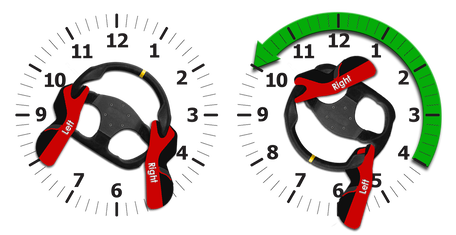
Your thumb approaches controls from different angles depending on their position around the steering wheel, creating distinct contact patterns that affect activation reliability. Upper-positioned controls receive perpendicular thumb contact that distributes pressure evenly across the thumb pad, while lower-positioned controls get oblique contact that concentrates pressure on specific thumb regions. This directional variation means identical controls require different surface contours to provide consistent tactile feedback at different positions.
Design control surfaces to match natural thumb approach angles at each position:
– Upper wheel controls need flatter surfaces with subtle centering ridges
– Lower wheel controls benefit from concave surfaces that cradle the thumb
– Lateral positions (9-and-3 o’clock) require angled surfaces matching natural thumb trajectory
Pro tip: Test control prototypes with drivers wearing winter gloves to verify activation reliability. Reduced tactile sensitivity during cold weather exposes surface design flaws that feel acceptable in controlled lab conditions but fail in real-world use.
Positioning Safety-Critical Controls for Maximum Accessibility
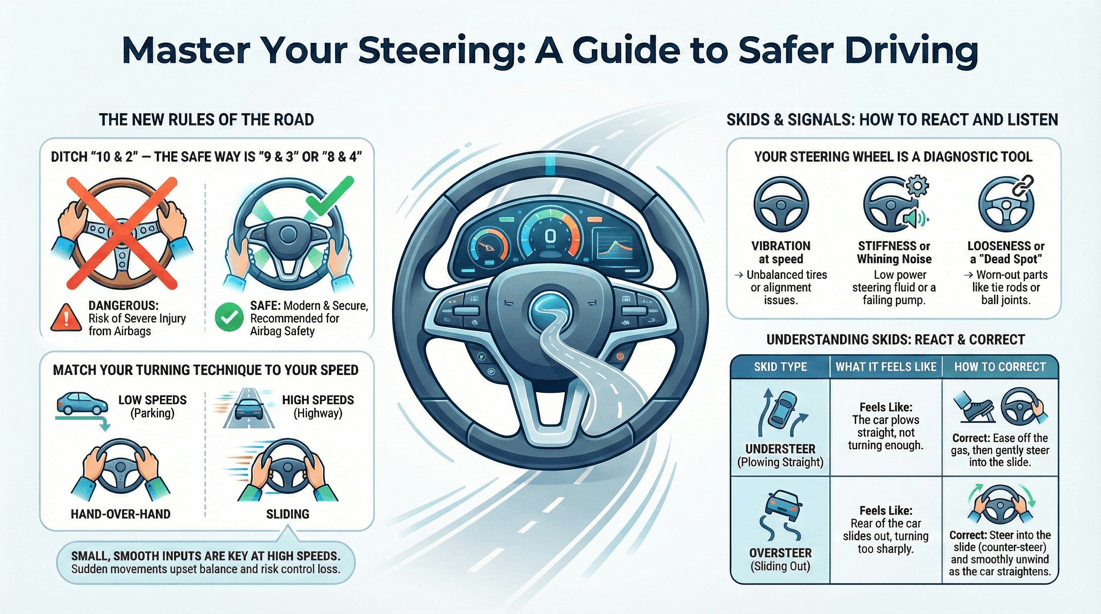
Place emergency functions and safety systems within your thumb’s natural resting zone during standard driving posture—typically the upper steering pad between 10-and-2 o’clock positions. These critical controls must remain operable when your grip tension increases during evasive maneuvers, requiring less thumb travel and activation force than convenience controls. Studies show drivers need 37% more time to activate lower-positioned controls during high-stress driving scenarios.
Your vehicle’s most important controls should follow these placement rules:
– Cruise control activation: Upper left quadrant (easily reached by left thumb)
– Emergency signaling: Upper right quadrant (right thumb access)
– Voice command activation: Central upper pad (accessible by either thumb)
– Hazard lights: Lower left quadrant (requires deliberate activation to prevent accidental triggering)
Visual cue: Look for controls with distinct surface textures—safety-critical functions often feature raised dots or ridges that your thumb recognizes by touch alone, eliminating the need for visual confirmation.
Designing Lower Wheel Controls for Reduced Thumb Mobility
Lower steering wheel controls require specialized design considerations to compensate for restricted thumb movement and gravity resistance. When your hands grip the wheel during normal driving, thumb mobility decreases by up to 40% in the lower regions compared to upper positions. This limitation means lower-positioned controls must incorporate design features that maximize usability despite biomechanical constraints.
Optimize lower wheel controls with these adaptations:
– Increase activation surface area by 25-30% compared to upper controls
– Reduce required activation force by 15-20% to accommodate less favorable leverage angles
– Add pronounced tactile feedback (audible click + physical resistance change)
– Use contrasting surface textures to prevent accidental activation
Time estimate: Properly designed lower controls should be operable within 0.8 seconds—any longer indicates poor ergonomic implementation that distracts from driving tasks.
Engineering Control Surfaces for Optimal Tactile Feedback
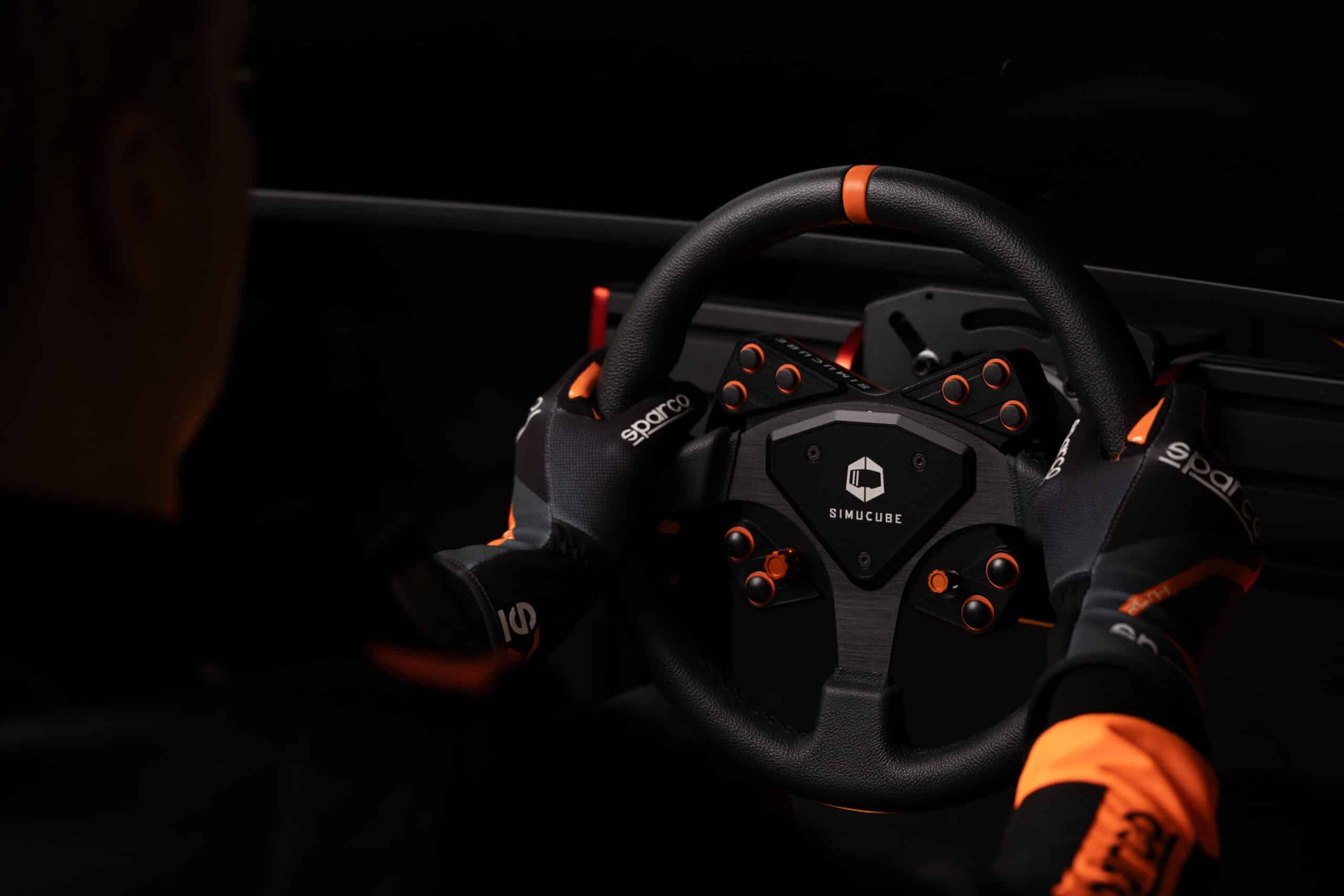
The material and texture of control surfaces directly impact your ability to operate them without visual confirmation. Smooth surfaces that feel identical create confusion when trying to distinguish between similar functions by touch alone. Effective steering wheel design ergonomics incorporates surface differentiation that leverages the thumb pad’s exceptional tactile sensitivity.
Create intuitive control identification through strategic surface engineering:
– Audio controls: Fine cross-hatching pattern
– Climate controls: Circular concentric ridges
– Cruise controls: Smooth center with raised border
– Voice command: Distinctive raised dot pattern
Common mistake: Using glossy finishes that become slippery when hands are sweaty. Matte textures with micro-grooves maintain grip consistency across temperature and moisture conditions, preventing accidental slips during activation.
Matching Control Types to Ideal Steering Wheel Zones
Different control mechanisms perform best in specific steering wheel regions based on thumb mobility requirements. Rotary controls demanding continuous input through an arc belong in upper positions where thumb travel range is greatest. Simple toggle switches that require only discrete activation can function effectively in lateral positions near the 9-and-3 hand locations.
Optimize control placement by matching function complexity to ergonomic capability:
– Complex functions (multi-directional input): Upper wheel positions
– Frequent-use functions (volume, cruise): Lateral positions
– Infrequent functions (trunk release): Lower positions
– Safety-critical functions: Upper positions with distinctive feedback
Pro tip: When test driving a new vehicle, close your eyes and attempt to locate each control by touch alone. If you struggle to distinguish functions or require visual confirmation, the steering wheel design ergonomics haven’t been properly implemented.
Validating Ergonomic Designs Through Motion Studies
Automakers verify control layouts using motion capture technology that tracks thumb movement patterns across diverse driver populations. These studies measure reach envelopes, contact pressures, and activation success rates to identify problematic placements before production begins. The most effective validation protocols simulate both relaxed cruising and high-tension driving scenarios to ensure controls remain accessible across all conditions.
Key validation metrics that determine production approval:
– 95% of test drivers can activate controls without hand repositioning
– Visual confirmation required less than 5% of the time
– Activation success rate exceeds 98% during simulated driving
– No significant performance degradation during high-grip scenarios
Expert insight: Next time you test drive a vehicle, notice whether controls feel consistently placed across different models from the same manufacturer—this indicates a standardized ergonomic framework based on validated research rather than ad-hoc design decisions.
Future-Proofing Steering Wheel Ergonomics for New Technologies
As touch-sensitive surfaces replace physical buttons, steering wheel design ergonomics must evolve while respecting fundamental biomechanical constraints. Haptic feedback systems now simulate physical button responses on flat surfaces, but must account for varying thumb contact angles across the wheel. Future designs will integrate pressure-sensitive zones that adapt feedback intensity based on grip tension detected by steering wheel sensors.
Emerging trends transforming steering wheel interfaces:
– Variable resistance controls that adjust based on driving context
– Context-aware haptic feedback that intensifies during high-workload scenarios
– Tactile maps that guide thumbs to active functions through subtle vibrations
– Adaptive control layouts that reconfigure based on driver preferences
Maintenance tip: Keep steering wheel controls clean and free of debris—grime buildup on textured surfaces diminishes tactile differentiation over time, effectively “erasing” the ergonomic design features that help you operate controls by touch.
Preventing Driver Fatigue Through Optimized Control Layouts
Poorly designed steering wheel controls contribute significantly to driver fatigue during long journeys. When you constantly strain to reach controls or reposition your hands unnecessarily, cumulative muscle fatigue sets in, reducing your ability to maintain precise vehicle control. Research shows drivers experience 18% less forearm fatigue when controls align with natural thumb movement patterns.
Extend your comfortable driving range by:
– Choosing vehicles with upper-positioned primary controls
– Adjusting seat position to maintain 9-and-3 hand placement
– Avoiding excessive hand movement during control operation
– Taking brief rests during long drives to reset muscle tension
Your steering wheel should feel like a natural extension of your hands—not a puzzle to solve while driving. When every control falls effortlessly under your thumbs without visual confirmation, you’ve experienced steering wheel design ergonomics at its best. The next time you test drive a vehicle, pay attention to how intuitively you can operate each function. If you find yourself hunting for controls or releasing your grip unnecessarily, you’ve encountered a design that hasn’t fully implemented these evidence-based ergonomic principles. Choose vehicles that respect your biomechanics—your safety and comfort depend on it.
Leave a Reply