Best Ergonomic Office Chairs for Desks With Drawers in 2026

A desk with drawers can save space, but it can also create an awkward problem: the chair may not slide far enough underneath the desk, the armrests may hit the drawer unit, or the drawers may reduce the knee clearance you actually need.
That makes this a different buying problem from simply finding a comfortable office chair. For this guide, we focus on chair-to-drawer clearance: armrest width and movement, overall chair depth, seat depth, and the space beneath the desktop.
Quick Picks
| Chair | Why it fits this problem | Important measurement |
|---|---|---|
| Steelcase Series 1 | 4D arms plus an armless option | Arm width 406–508 mm; overall depth 534–603 mm |
| Haworth Breck | 4D arms with horizontal adjustment | 15.7–21.1″ between armrests |
| Branch Ergonomic Chair | Removable arms and adjustable seat depth | Check exact current configuration before purchase |
| Herman Miller Sayl | Relatively shallow overall depth | About 19.75″ overall depth |
| Steelcase Leap | Adjustable arms and seat depth | Check exact configuration and drawer clearance |
What Makes a Chair Good for a Desk With Drawers?
The key is not simply the chair’s width. You need to understand the narrowest point underneath the desk.
For example, a drawer cabinet may begin several inches inward from the desktop edge. Your knees may fit, but the chair’s armrests may collide with the cabinet before the seat reaches the position you want.
For that reason, we look at four practical measurements:
- Width between the armrests
- Armrest height and movement
- Overall chair depth
- Seat depth and adjustment range
Measure the Desk Before Buying
- Distance from the front edge of the desktop to the drawer face.
- Width of the open knee space.
- Height from the floor to the underside of the drawer or desktop.
- Width of the opening at its narrowest point.
- Depth available for the chair when you want to push it inward.
Then measure your existing chair at the same points. If its arms already hit the drawers, buying another chair with similar arm geometry will not solve the problem.
1. Steelcase Series 1 — Best for Adjustable Arm Clearance
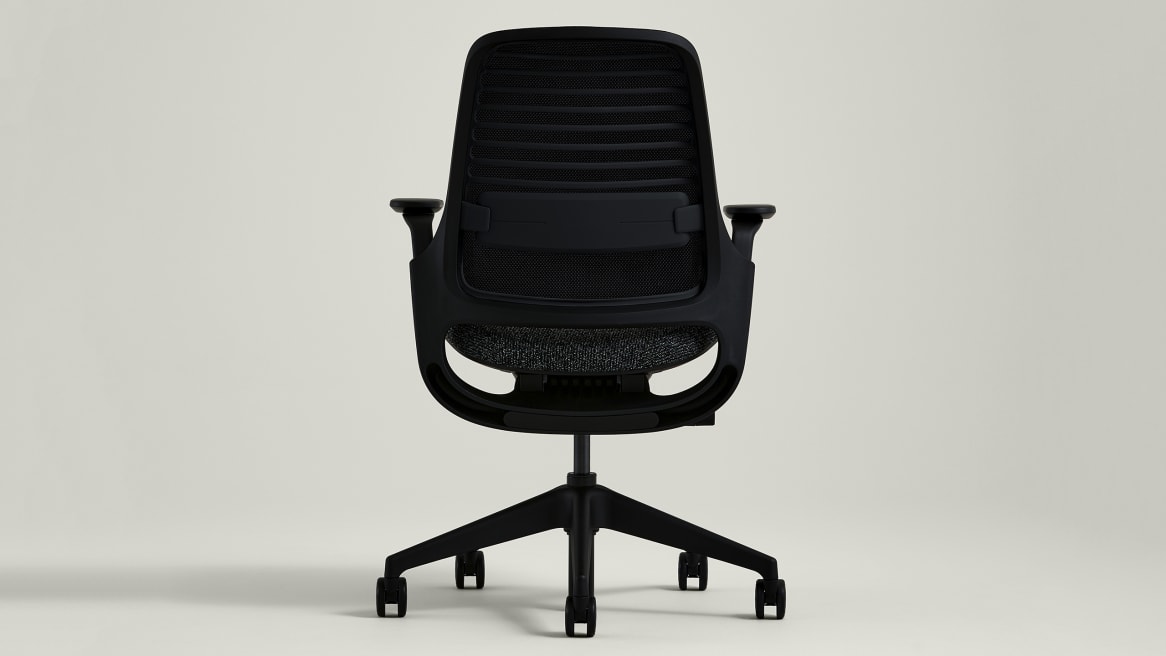
Steelcase Series 1 is especially interesting for this use case because its arms can be configured as 4D, height-adjustable, or armless. The 4D arms adjust in height, width, depth and pivot, giving you several ways to move the arm pads away from a drawer edge.
Overall depth: 534–603 mm (about 21.0–23.7″)
Overall width: 597–686 mm (about 23.5–27.0″)
Functional seat depth: 400–458 mm (about 15.7–18.0″)
Width between arms: 406–508 mm (about 16.0–20.0″)
Arm height from seat: 165–292 mm
Why it stands out: If a drawer is only slightly wider than your knee space, the ability to adjust the armrests inward, outward, forward, backward and around their pivot can be more useful than simply having a narrow chair.
Best configuration for this article: Consider the 4D-arm version when you need to position the arms around a drawer. An armless configuration is another option when armrests are the main obstruction.
Check Price on Amazon2. Haworth Breck — Best for Flexible Arm Positioning

Haworth Breck has 4D arms that can be moved vertically and horizontally. Haworth publishes a width-between-armrests range of 15.7 to 21.1 inches, which is useful when drawer placement makes arm position particularly important.
Overall width: 28.5″
Overall depth: 28.5″
Seat height: 15.5–20.5″
Seat depth: 15–17.25″
Arm height: 7.75–11.75″
Width between armrests: 15.7–21.1″
Weight capacity: 325 lb
Why it stands out: The armrests can move side-to-side and front-to-back as well as vertically. That gives you more opportunity to keep the arms away from a drawer face while retaining arm support.
Limitation: Breck is not a small chair overall. If the drawer unit leaves a very narrow opening, measure the entire 28.5-inch footprint rather than looking only at the armrests.
Check Price on Amazon3. Branch Ergonomic Chair — Best Removable-Arm Alternative

The Branch Ergonomic Chair is worth considering when the drawer problem is caused by the armrests rather than the seat itself. Its design includes adjustable arms and removable arms, which can make the chair easier to adapt to a restrictive workstation.
Why it stands out: A removable-arm option is fundamentally different from simply having height adjustment. If your drawer unit occupies the exact space where the chair arms need to go, removing the arms can eliminate that obstruction.
Important: Because configurations and current product specifications can change, verify the exact Branch configuration and dimensions on the current product listing before publishing a final product-specification table.
Check Price on Amazon4. Herman Miller Sayl — Best for a Relatively Shallow Chair

Drawer desks can become difficult when the available space from the drawer face to the wall is limited. Herman Miller Sayl is interesting here because its published overall depth is about 19.75 inches, considerably less than many full-size task chairs.
Overall depth: about 19.75″
Overall width: about 24.5″
Seat height: approximately 16–20.5″ in the standard configuration
Adjustable seat depth: approximately 16–18″ on applicable configuration
Weight capacity: 350 lb
Why it stands out: A shorter overall chair depth can leave more room between the chair and a drawer unit or wall behind the desk.
Limitation: Overall chair depth does not tell you whether the arms will clear your particular drawers. Measure the drawer opening separately.
Check Price on Amazon5. Steelcase Leap — Best for Extensive Adjustment
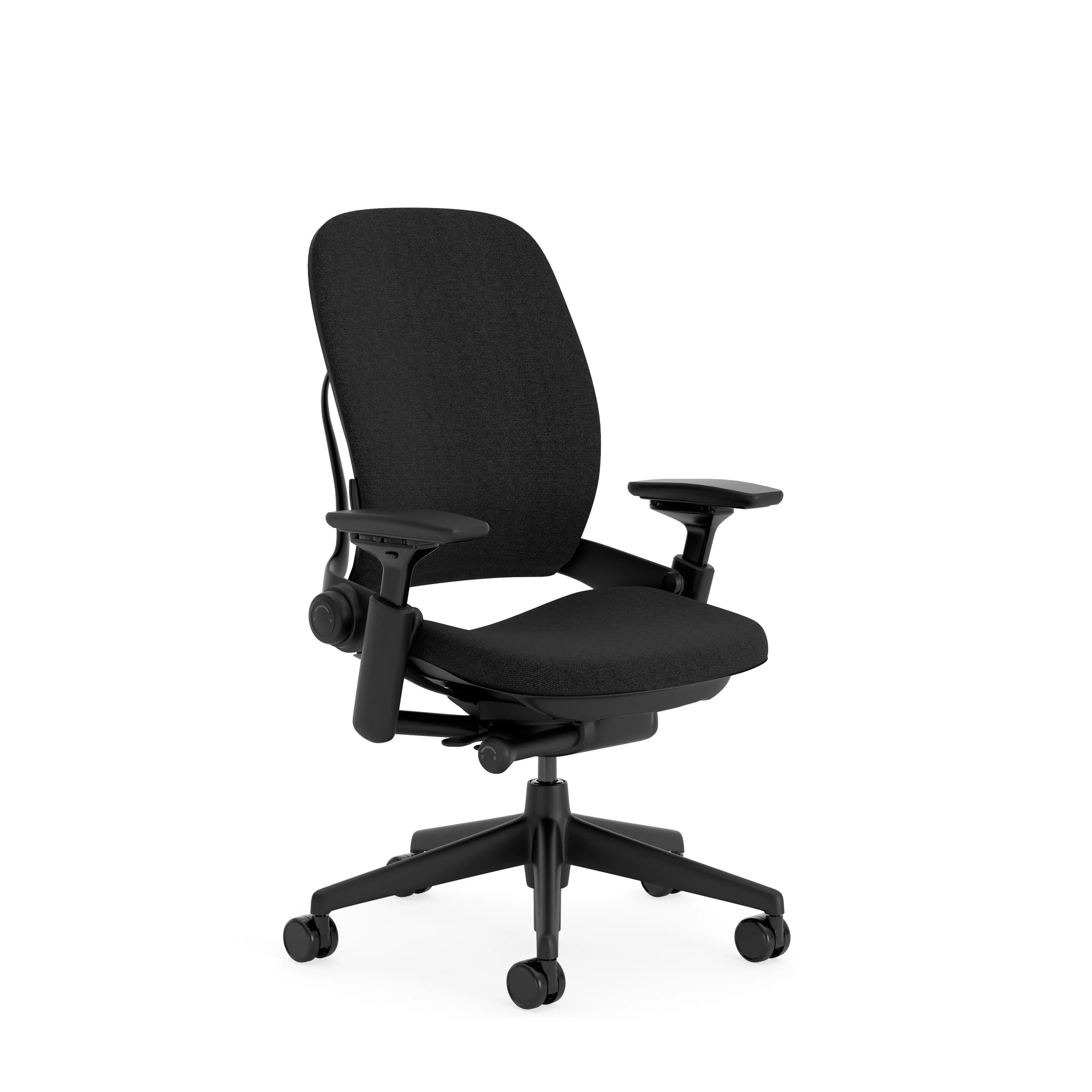
The Steelcase Leap is another option when the drawer desk requires careful adjustment rather than simply a smaller chair. Its seat depth adjusts, and the chair’s arm system provides multiple adjustment points.
Seat height: approximately 15.5–20.5″
Functional seat depth: approximately 15.75–18.75″
Overall depth: approximately 21.75–24.75″
Weight capacity: 400 lb on the current Steelcase specification
Why it stands out: Adjustable seat depth lets you position yourself without necessarily pushing the entire chair farther forward or backward than the drawer layout allows.
Limitation: It is a substantial chair. Do not choose it purely from the adjustment list; measure the actual drawer opening and chair footprint first.
Check Price on AmazonArmrests vs. Drawers: The Most Important Conflict
For many drawer desks, the armrests—not the seat—are the first thing that causes trouble.
A chair may fit perfectly between the drawer sides at seat level but stop several inches short because its arm pads are wider. This is why width between arms is a useful measurement for this particular article.
4D arms can also help because the arm pad can move sideways and forward/backward. An armless chair solves the problem differently, but you then lose the option of resting your forearms on chair-mounted supports.
Should You Remove the Chair Arms?
Sometimes. If your desk’s drawer configuration leaves no useful clearance for armrests, an armless configuration can be a sensible solution.
But do not remove fixed arms unless the manufacturer specifically allows it. A chair designed as an armless configuration is preferable to modifying a chair yourself.
What About a Pedestal Drawer Unit?
A pedestal or drawer cabinet positioned directly beneath one side of the desk creates a different problem from a full-width drawer.
With a side pedestal, you may have enough room for your knees but not enough room to position the chair centrally. In this situation, measure the usable opening, not the total desk width.
Common Mistakes
1. Measuring only the desktop
The desktop width tells you almost nothing about the clearance available beneath it.
2. Ignoring the drawer face
The drawer front may protrude farther than the desktop edge and become the actual obstruction.
3. Checking seat width but not arm width
A chair can have a narrow seat while having widely spaced armrests.
4. Assuming “adjustable arms” means “drawer friendly”
Adjustability helps, but the final position still has to fit the actual opening.
5. Choosing an armless chair without considering your working style
Removing the armrest obstruction can solve one problem while removing a support surface you may value.
Frequently Asked Questions
What is the best office chair for a desk with drawers?
There is no universal winner because drawer dimensions vary. Steelcase Series 1 is particularly strong when adjustable arm positioning is important, while an armless configuration can be useful when the drawer leaves almost no arm clearance.
Can an ergonomic chair fit under a desk with drawers?
Yes, but you need to measure the space under the desk rather than relying on the chair’s advertised width. Armrests, drawer faces and drawer cabinets can all reduce the usable opening.
Are armless office chairs better for desks with drawers?
They can be when the drawer unit blocks the chair’s arms. However, an armless chair is not automatically more ergonomic for every user, so consider whether you need chair-mounted forearm support.
What measurement matters most?
Start with the narrowest point of the opening beneath the desk. Then compare it with the chair’s arm width, overall width and arm height. If depth is restricted, compare overall chair depth as well.
Should I buy a chair with flip-up arms?
Flip-up arms can be useful if you need to move the chair completely under the desk when it is not being used. But they do not automatically solve a drawer collision while you are seated. The actual drawer clearance still needs to be measured.
Final Verdict
A desk with drawers changes the chair-buying equation. Instead of asking only, “Is this chair ergonomic?”, ask:
Steelcase Series 1 is our strongest overall candidate because its 4D arms provide unusually useful control over arm position, and an armless option is available. citeturn0search0turn0search11
Haworth Breck is another strong choice when horizontal arm adjustment matters, with a published 15.7–21.1-inch width-between-arms range. citeturn0search1turn0search7
Herman Miller Sayl deserves consideration when the bigger problem is limited depth rather than arm clearance.
Steelcase Leap is best approached as a highly adjustable option rather than a compact chair.
Branch Ergonomic Chair is worth investigating when removable arms could solve the particular drawer conflict, but verify the exact current configuration before purchasing.
Sources & Research Note
- Steelcase Series 1 official specifications. citeturn0search0turn0search11
- Haworth Breck official product specifications and adjustment guide. citeturn0search1turn0search7
Research note: ErgonomicBest does not claim hands-on testing of these chairs unless explicitly stated. Product dimensions and configurations can change; verify the exact configuration before purchase.